Good candidates for automation
- Lead capture
- CRM record creation
- Notifications
- Routine qualification questions
- Lead assignment
- Booking
- Follow-up reminders
- Sales summaries
- Status updates

SALES & LEAD AUTOMATION
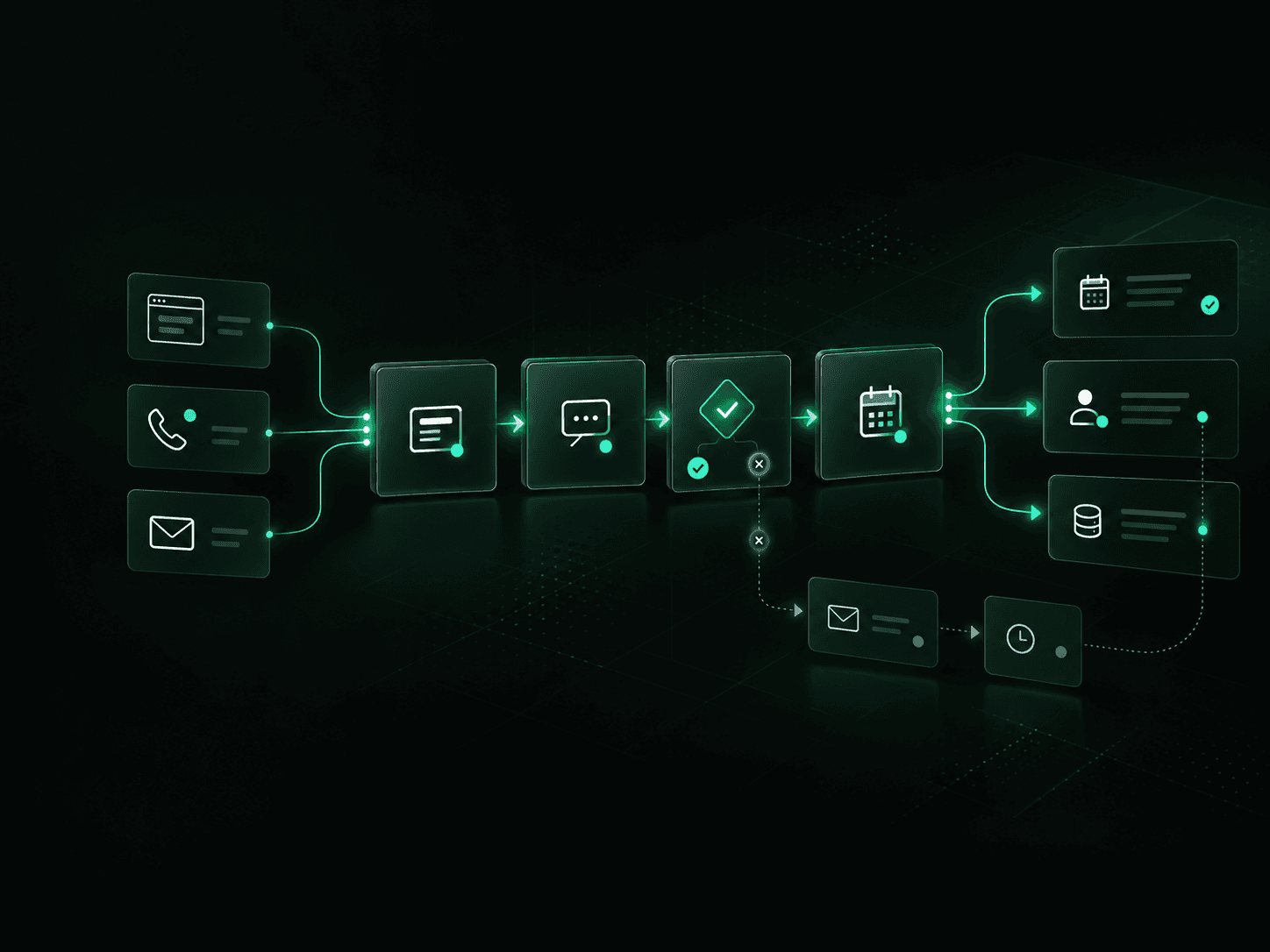
Connect lead capture, qualification, CRM updates, follow-up and booking while keeping real conversations with your sales team.
THE PROBLEM
Most lead problems are not sales-skill problems. They happen between the moment someone shows interest and the moment the right salesperson takes action.
Slow response, incomplete CRM records, unclear ownership and inconsistent follow-up create gaps that make good opportunities harder to convert.
01
A form, email or missed call arrives, but nobody sees it quickly enough or knows who should respond.
02
Lead details sit across inboxes, spreadsheets, forms, calendars and CRM records instead of moving through one connected process.
03
Some prospects receive several messages. Others receive one. Some disappear from the pipeline completely.
04
Reps spend time copying information, updating records, creating reminders and coordinating bookings instead of talking with prospects.
A good sales workflow moves information and responsibility forward automatically while keeping your team involved where conversation, judgement and relationship-building matter.
01
Website form, inbound call, email, advertising campaign, referral, chatbot or another source.
02
Contact details, source information and relevant enquiry data enter the correct system automatically.
03
The workflow collects or evaluates the information your team uses to identify fit, urgency and next steps.
04
The right salesperson, location, team or pipeline receives the opportunity based on your rules.
05
The prospect receives an appropriate acknowledgement or first response without waiting for manual administration.
06
Qualified leads can move to booking, a callback, an estimate, further qualification or direct sales contact.
07
Contact details, status, activities, notes and next steps are recorded without repeated manual entry.
08
Reminders, sequences and escalation rules keep opportunities visible until there is a response, next step or clear disposition.
We design the workflow around how your business sells. The goal is to remove delays and repetitive administration without creating a sales process your team cannot control.
Move enquiries from forms, calls, campaigns, referrals and other sources into the correct lead workflow.
Acknowledge new enquiries and trigger the appropriate next action based on lead source, request or priority.
Collect the information your sales team needs before a salesperson spends time on the opportunity.
Assign opportunities based on territory, service, location, lead type, availability, account ownership or other business rules.
Create and update contact, company, opportunity and activity records without repeated data entry.
Connect qualified prospects with the correct calendar, salesperson, estimator or consultation process.
Trigger approved email, SMS, reminder or task sequences when a prospect has not responded or a next action becomes due.
Give the salesperson a concise view of the lead, previous activity, qualification information and expected next action.
Identify older enquiries or stalled opportunities and place suitable prospects into an approved re-engagement workflow.
You do not need to automate your entire sales operation at once. Start with the part of the process creating the most delay, manual work or missed follow-up.
01
A new enquiry enters from your website, phone, email or campaign. Capture the information, identify the request, notify the right person and start the next step.
02
Track open estimates or proposals and trigger reminders, salesperson tasks and approved follow-up based on status and time.
03
Turn unanswered sales calls into a structured callback or follow-up process instead of relying on voicemail alone.
04
Identify older prospects that meet your criteria and create a controlled process for bringing suitable opportunities back into the pipeline.
Sales automation does not automatically mean replacing your CRM or rebuilding your technology stack.
We can connect the systems involved in your existing lead process and determine where automation should sit between them.











The exact architecture depends on your current systems, data, permissions and sales process. We map those requirements before recommending the technology.
Automation should handle predictable administrative work. Your team should stay involved when judgement, negotiation, relationship-building or an exception requires a person.
We define those boundaries before the workflow goes live.
Automation should give you better visibility into the sales process, not simply create more activity.
01
See how quickly new opportunities receive their first action.
02
Know which salesperson or team owns each opportunity.
03
Track whether required sales actions actually happen.
04
See which opportunities are new, active, booked, stalled, qualified or closed.
05
Connect incoming opportunities with the channels that generated them where the required data is available.
06
Identify leads and opportunities that have stopped moving.
We measure the workflow before claiming the result.
We start with the current process, identify the highest-value gap and build the smallest practical workflow that can improve it.
01
Review lead sources, response steps, systems, ownership, qualification rules, follow-up and reporting.
02
Identify where leads wait, disappear, require repeated manual work or move between disconnected systems.
03
Configure the workflow, integrations, business rules, notifications, human handoffs and exception handling.
04
Review performance, correct weak points and extend automation only where the next improvement has a clear business case.
You do not need to redesign your entire sales process.
Start with the area causing the most lost time or missed opportunities. That could be inbound lead response, CRM updates, qualification, booking, estimate follow-up or dormant leads.
We can map the current process, identify the bottleneck and recommend the smallest practical first implementation.
Already know where the problem is? Start with a focused Sales & Lead Automation Sprint. Need the process reviewed first? Start with the CAD 500 Audit.