Incoming Lead
ReceivedNew enquiry received
Source: Website / Phone / CRM
AI WORKFLOW AUTOMATION
Connect routine steps across existing software to reduce repeated data entry, improve handoffs and give teams a clearer process.
WORKFLOW FIRST
We map how the work moves today before we automate it.
That means understanding the trigger, people involved, systems touched, decisions, handoffs, exceptions and desired result.
The goal is a workflow that removes repetitive work without adding unnecessary complexity.
Workflow Automation
Reduce manual steps between your systems, teams and customers. Web Inventix AI builds workflows that move information, trigger actions and keep processes running without constant manual intervention.
Move information between systems without re-entering data.
Trigger follow-up, approvals and tasks as soon as something happens.
See where work sits and where processes are getting delayed.
Incoming Lead
ReceivedSource: Website / Phone / CRM
Decision Layer
Automation
COMMON AUTOMATION PROJECTS
We focus on routine operating work that moves information, tasks or decisions between people and systems.
Capture new enquiries, validate the information, create or update the CRM record, assign an owner and trigger the next follow-up step.
Classify incoming messages, extract relevant details, route them to the right person and prepare approved responses when useful.
Send intake requests, collect required information and documents, check for missing items and route completed submissions into the next step.
Turn approved meeting notes into assigned tasks, CRM updates, reminders and follow-up actions.
Trigger welcome messages, forms, document requests, internal tasks, account setup and status updates after a customer reaches the agreed stage.
Extract required information, classify documents, apply routing rules and send approved data into the correct system.
Route requests to the right approver based on defined rules, track status and update connected systems after a decision.
Collect information from approved systems, prepare scheduled reports and send updates to the people who need them.
Connect the platforms your business already uses. Web Inventix AI can integrate CRM, communications, payments, AI, marketing, operations and automation tools into connected workflows.
Examples of platforms and systems we can work with include:










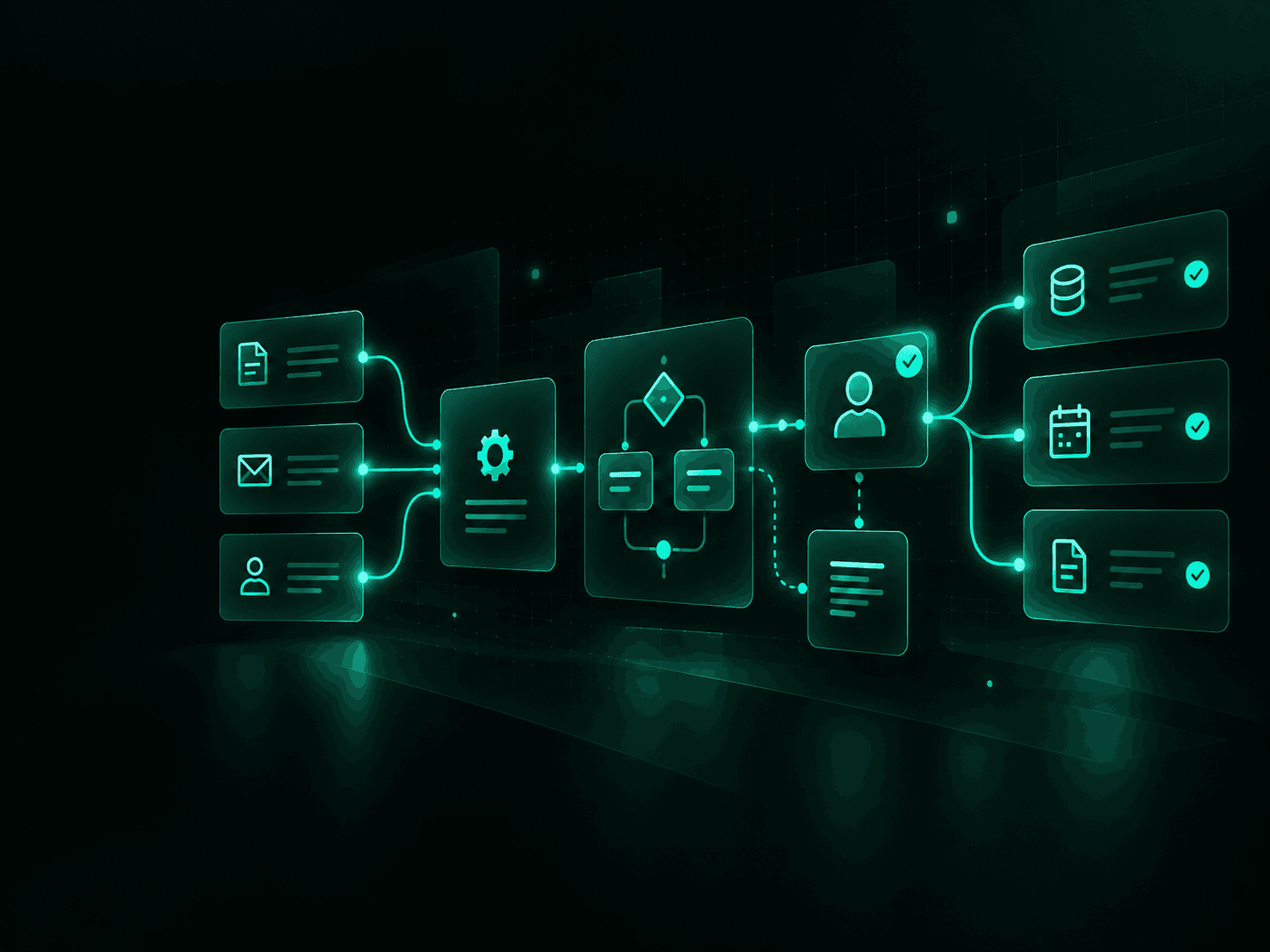
EXAMPLE WORKFLOW
A focused automation can connect a chain of routine steps without replacing the systems your team already uses.
The exact sequence is designed around your process, systems, permissions and approval rules.
DELIVERY PROCESS
A focused implementation built around one defined process.
Document the current process, systems, owners, decision points, handoffs and failure points.
Define the target workflow, automation rules, human approvals, exceptions and success measure.
Configure the automation, integrations, data mapping and any required AI steps.
Test standard cases, edge cases, permissions, failures, alerts and recovery paths.
Record workflow logic, ownership, access, support information and operating instructions.
Train the people using the workflow, launch the agreed process and confirm the first live runs.
PROJECT DELIVERABLES
Each Workflow Sprint leaves your team with a working process that can be operated, reviewed and supported after launch.
A documented view of the process, systems, handoffs and problem points being addressed.
The agreed future process, automation logic, approvals and exception paths.
The configured workflow and agreed system integrations.
Testing of common scenarios, exceptions, failed runs and recovery steps.
Workflow logic, system dependencies, access requirements and operating instructions.
A walkthrough of how the workflow operates, how exceptions are handled and who owns each part.
HOW WE BUILD
The technology comes after the workflow is defined.
The objective is not to add software. It is to move work reliably between the systems your team already uses.
Use the tools already in place before introducing another platform.
Keep approval and judgment steps with people while routine actions run automatically.
Add validation, alerts, logs and recovery paths for missing information or failed workflow steps.
Document who owns the workflow, system access, future changes and ongoing support.
STARTING PRICE
Starts at CAD 2,500
For one defined workflow with a clear operating outcome.
Final scope depends on workflow complexity, number of systems, API access, data quality, approval requirements and support needs.
FAQ
START WITH ONE WORKFLOW
Show us the process, systems and handoffs.
We will help identify what can be automated, what should stay manual and the smallest practical first build.