
5 Business Workflows You Can Automate Without Building Custom Software
Many useful AI projects do not need a custom application. Start with lead response, intake, meeting follow-up, document routing or recurring reporting.
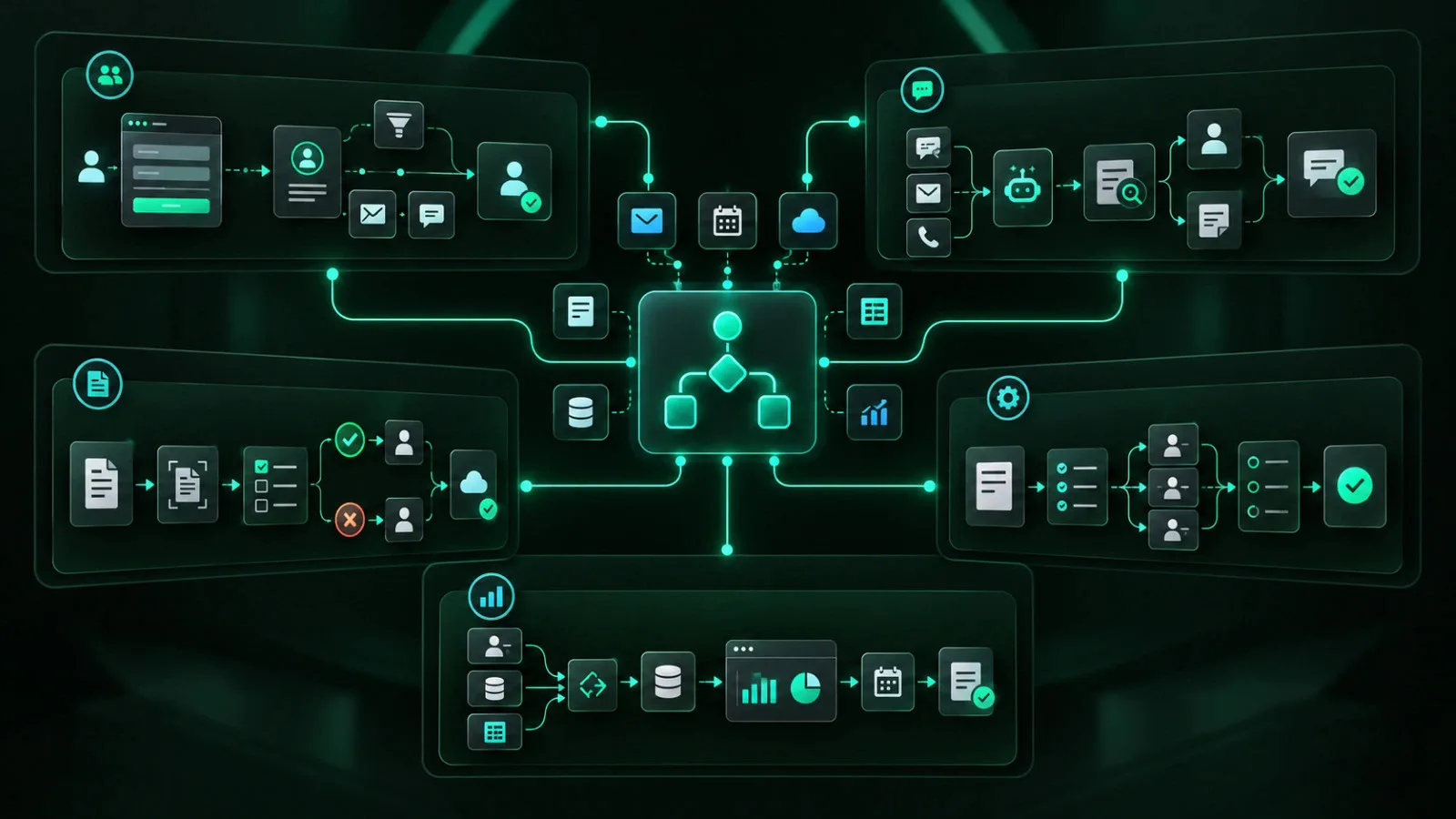
If you are looking for business workflows you can automate without custom software, start with the repetitive work already moving between your existing systems.
Many businesses do not need a new platform to get value from automation. They need their forms, CRM, email, calendar, accounting software, spreadsheets, and collaboration tools to pass information and trigger the next step automatically.
Modern workflow platforms use triggers, rules, actions, approvals, and notifications to connect existing software.
Zapier describes a workflow as a trigger followed by one or more actions. HubSpot supports automation through forms, deal stages, workflows, sequences, and CRM data. Microsoft Power Automate can automate approvals across services such as SharePoint, Dynamics 365, Salesforce, OneDrive, and other systems.
The practical question is not:
“What custom software should we build?”
It is:
“Which part of the current workflow is repetitive, delayed, manual, or easy to miss?”
Here are five workflows many businesses can automate before considering a custom application.
1. Lead Capture, Qualification and Routing
Lead handling is one of the strongest places to start because response delays can affect revenue directly.
A typical manual process might involve:
- Checking a website form
- Copying the prospect into a CRM
- Deciding who should handle the lead
- Sending an initial response
- Creating a follow-up task
Every handoff creates another place for a lead to sit.
A workflow can automate much of this process.
For example, it can:
- Capture the lead
- Create or update the CRM record
- Tag the lead by service, territory, or source
- Assign an owner
- Send an acknowledgement
- Create a follow-up task
- Notify the correct salesperson or team
You can also create escalation rules.
If nobody responds within a defined period, the workflow can notify a manager, create another task, or reassign the lead.
The important part is defining the process first.
Decide:
- What makes a lead qualified?
- Who owns each type of inquiry?
- How quickly should someone respond?
- What information must be collected?
- What happens if the first owner does not act?
You may not need new software.
You may need better rules connecting the tools you already use.
2. Customer Onboarding and Internal Handoffs
Customer onboarding often becomes a collection of emails, spreadsheets, shared folders, reminders, and tasks that depend on someone remembering what comes next.
Once a deal reaches a defined stage in the CRM, an automated workflow could:
- Create the project
- Generate an internal task list
- Create a customer folder
- Notify the delivery team
- Send a welcome message
- Request required information
- Schedule follow-up reminders
That can remove a large amount of administrative work without building a custom customer portal.
The CRM can remain the starting point while the workflow connects:
- Project management software
- Cloud storage
- Forms
- Calendar tools
- Team communication platforms
Do not automate an unclear onboarding process.
Document the required information, owners, deadlines, exceptions, and completion criteria first.
Automation makes a consistent process faster, but it can also repeat a poorly designed process faster.
Custom software becomes more relevant when onboarding requires a dedicated customer interface, complex permissions, proprietary calculations, or functionality that standard platforms cannot handle cleanly.
3. Approvals, Requests and Document Routing
Many internal processes follow the same basic pattern:
- Someone submits a request.
- Another person reviews it.
- A decision is recorded.
- The requester is notified.
- The next action begins.
Examples include:
- Purchase requests
- Expense approvals
- Discount approvals
- Sales quotations
- Work orders
- Document sign-off
- Access requests
- Content approvals
These workflows are well suited to automation because the trigger, approver, decision, and next action are usually clear.
Microsoft Power Automate, for example, supports approval workflows for documents and business processes, including invoices, work orders, sales quotations, vacation requests, and other approval scenarios.
A basic workflow can:
- Start with a form or request
- Check the request type or value
- Route it to the correct approver
- Send reminders
- Record the decision
- Update the source record
- Notify the requester
Human judgement stays in the process.
The automation moves information, applies routing rules, records status, and prompts the right person to act.
This can replace long email chains without replacing the systems the business already uses.
4. Invoice Follow-Up and Routine Financial Administration
Businesses often spend time checking invoice dates, sending reminders, monitoring payment status, and telling account managers when an account becomes overdue.
Many accounting platforms already include automation for this work.
QuickBooks Online, for example, supports automatic invoice reminders before or after an invoice due date. QuickBooks Online Advanced also includes workflow features for invoice review, payment collection, transaction approval, estimates, purchase orders, and bill payments.
A practical workflow could:
- Send reminders based on invoice due dates
- Notify an account manager when an invoice reaches a defined age
- Create a manual follow-up task for higher-value accounts
- Escalate overdue balances based on internal rules
- Send management a weekly outstanding-receivables summary
The first question should be:
“What can our accounting platform already automate?”
Only then should you look at additional integrations or workflow tools.
Sensitive financial decisions and exceptions should stay with people.
Automation should handle repetitive administration and bring exceptions to the attention of the person responsible.
5. Reporting, Alerts and Recurring Operations Updates
Reporting is another area where businesses often pay people to move data rather than interpret it.
A weekly process may involve:
- Opening several systems
- Exporting files
- Copying totals into a spreadsheet
- Reformatting the same report
- Emailing it to the same people
If the source systems already support integrations, scheduled exports, or connected applications, much of this work can be automated.
A workflow can:
- Update a spreadsheet
- Refresh a dashboard
- Send a scheduled summary
- Notify managers when a threshold is crossed
- Create a task when an exception appears
Slack Workflow Builder, for example, supports forms, recurring reminders, and connectors to other applications.
Zapier can trigger workflows from application changes or schedules and then move information, update records, create tasks, or send notifications.
The strongest reporting automations are often exception-based.
Managers may not need another dashboard.
They may need to know that:
- Leads are unassigned
- An order has stalled
- An invoice is overdue
- A customer request missed its response target
- A key metric moved outside an approved range
Automate the collection and alert.
Keep the decision with the person responsible.
What You Need Before Automating a Workflow
No-code and low-code tools make implementation easier, but the workflow still needs clear design.
Before automating, define:
- What starts the process
- Which systems are involved
- What information is required
- Who owns each step
- What rules apply
- What exceptions can occur
- What permissions are required
- How success will be measured
- What happens if the automation fails
Start with one measurable problem.
“Reduce manual lead entry” is clearer than “automate sales.”
“Send overdue invoice reminders automatically” is clearer than “automate finance.”
Small scope makes the workflow easier to test, maintain, and measure.
When Does Custom Software Make Sense?
Custom software is still appropriate when existing tools cannot support the requirement efficiently.
That can include:
- Proprietary workflows
- Complex user permissions
- Customer-facing applications
- Specialized data processing
- High transaction volumes
- Legacy-system integrations
- Offline requirements
- Custom calculations
- Advanced reporting requirements
- Security or data-control requirements
The key is sequencing.
Map the process first.
Remove unnecessary steps.
Automate predictable work with existing systems.
Measure the result.
Build custom software when the remaining requirement justifies the added cost, development effort, and ongoing maintenance.
Start With the Workflow You Already Have
Most businesses have more automation capability in their current software stack than they use.
CRMs can trigger follow-up.
Accounting systems can send reminders.
Microsoft 365 can manage approvals.
Collaboration tools can collect requests and send alerts.
Automation platforms can connect systems that do not communicate directly.
The opportunity is often in the work between those systems.
If you want to find business workflows you can automate without custom software, look for:
- Repetitive handoffs
- Duplicate data entry
- Delayed responses
- Recurring reminders
- Approval bottlenecks
- Reports people rebuild manually
- Information that gets copied between systems
- Tasks that depend on someone remembering the next step
Pick one process.
Define the result.
Use existing systems where practical.
Add an automation layer only where it solves a specific gap.
Then measure what changed.
Web Inventix AI helps businesses review workflows, identify manual work and system gaps, and determine where automation, integration, AI, or custom software makes commercial sense.
The objective is to use the smallest practical solution that improves the process and can expand after it proves value.
Frequently Asked Questions
What business processes are easiest to automate without custom software?
Repetitive processes with clear triggers, rules, and outcomes are usually the best candidates.
Common examples include lead routing, follow-up reminders, customer onboarding tasks, approval requests, invoice reminders, data entry between systems, recurring reports, and internal notifications.
Do I need AI to automate a business workflow?
No.
Many useful automations do not require AI at all.
A rule-based workflow can move data, create tasks, send messages, request approvals, update records, or trigger reminders.
AI becomes useful when the workflow needs to:
- Interpret unstructured information
- Summarize content
- Classify requests
- Extract information
- Generate drafts
- Support natural-language interactions
What is the difference between workflow automation and custom software?
Workflow automation connects or configures existing systems so routine steps happen automatically.
Custom software creates new application logic, interfaces, workflows, or infrastructure for requirements that existing platforms cannot handle well.
Many businesses should test workflow automation first and move to custom development only when the remaining requirement justifies it.
Which tools can automate workflows without coding?
Common options include automation platforms such as Zapier and Microsoft Power Automate, CRM automation in platforms such as HubSpot, collaboration workflows in Slack, and built-in automation in accounting and project-management systems.
The right tool depends on the systems already in use, required integrations, security requirements, transaction volume, cost, and maintenance needs.
When should a business move from no-code automation to custom software?
Consider custom software when the workflow needs proprietary logic, a dedicated customer or employee interface, complex permissions, high transaction volumes, specialized data processing, legacy-system integration, offline operation, or security and data-control requirements that standard tools cannot support cleanly.
How should a business choose its first workflow to automate?
Choose a workflow with a visible operational problem and a measurable result.
Look for repetitive manual work, duplicate entry, delayed response, recurring reminders, approval bottlenecks, or missed handoffs.
Keep the first project narrow enough to test quickly and compare the result with the current process.